Common questions
Help visitors understand services, process and next steps without hunting through the website.
A branded AI assistant can answer approved questions, capture useful context and guide visitors towards a person, enquiry or booking—without asking your team to be online all day.
A form can feel like work when someone is still deciding whether you can help. Live chat is useful, but it depends on a person being available at the right moment.
An AI chatbot creates a low-friction first conversation. The useful version does not improvise a hard sell: it works from approved information, asks only what helps and makes the human route clear.
Help visitors understand services, process and next steps without hunting through the website.
Collect the information that makes the next human response more relevant.
Move uncertain, sensitive or complex questions to a person instead of guessing.
A short exchange can help someone work out whether you cover their need and what to do next.
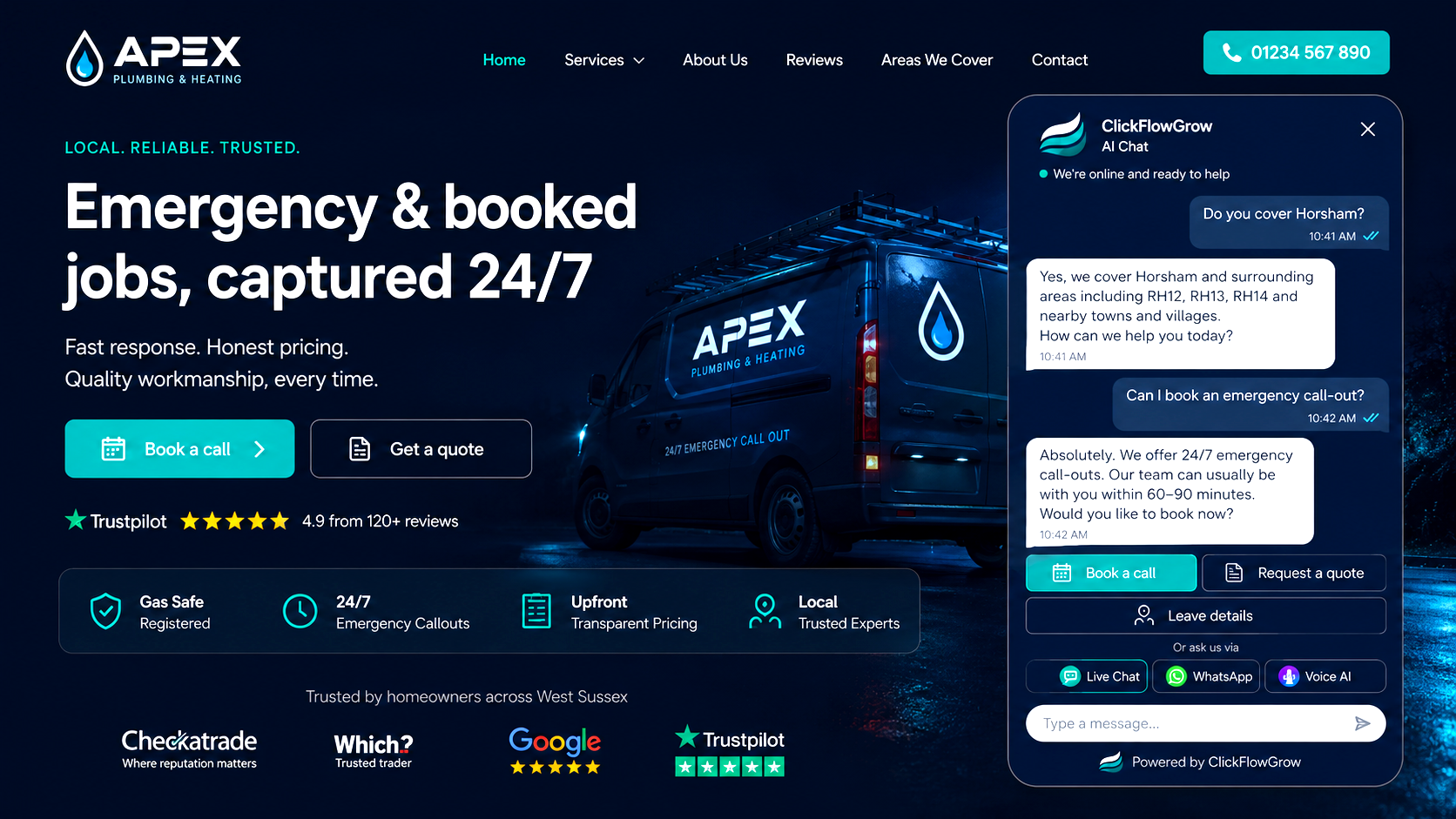
The exact design depends on the questions your visitors ask and what your team is ready to support.
Define approved services, answers, language and areas that need checking.
Welcome visitors and ask concise questions that move the conversation forward.
Link contact, booking and human handover according to your operating rules.
Test common questions and failure cases, then refine what needs improving.
Give a factual first answer and gather the details needed for follow-up.
Explain the approved starting point without oversimplifying the advice itself.
Route a clear question and its context to the right human next step.
We connect the conversation to the real business behind it: what is known, what needs a person and what useful next step should follow.
Responses are designed around facts the business is prepared to stand behind.
Chat is considered as part of the wider enquiry and follow-up journey.
Clear escalation is part of the experience, not an afterthought.
The AI Chatbot table shows how a visitor can be welcomed, understood and guided without a generic hard sell.
It can answer approved common questions, gather useful enquiry details and guide a visitor to a form, booking route or person.
It should be configured around approved business information, clear limits and a human handover when an answer is uncertain or needs judgement.
Not always. AI chat is useful for consistent first responses and routine questions; live chat is useful when a person needs to interpret a complex or sensitive situation. Some businesses use both. See our AI chatbot vs live chat guide.
Yes, the setup can be guided by approved business language and rules. That still needs testing against real questions before wider use.
We will look at your website, the questions people ask and the right balance between automation and human support.